Build an AI Agent to Automate a Real Task
13 min read
4 views
An agent is an LLM that can act
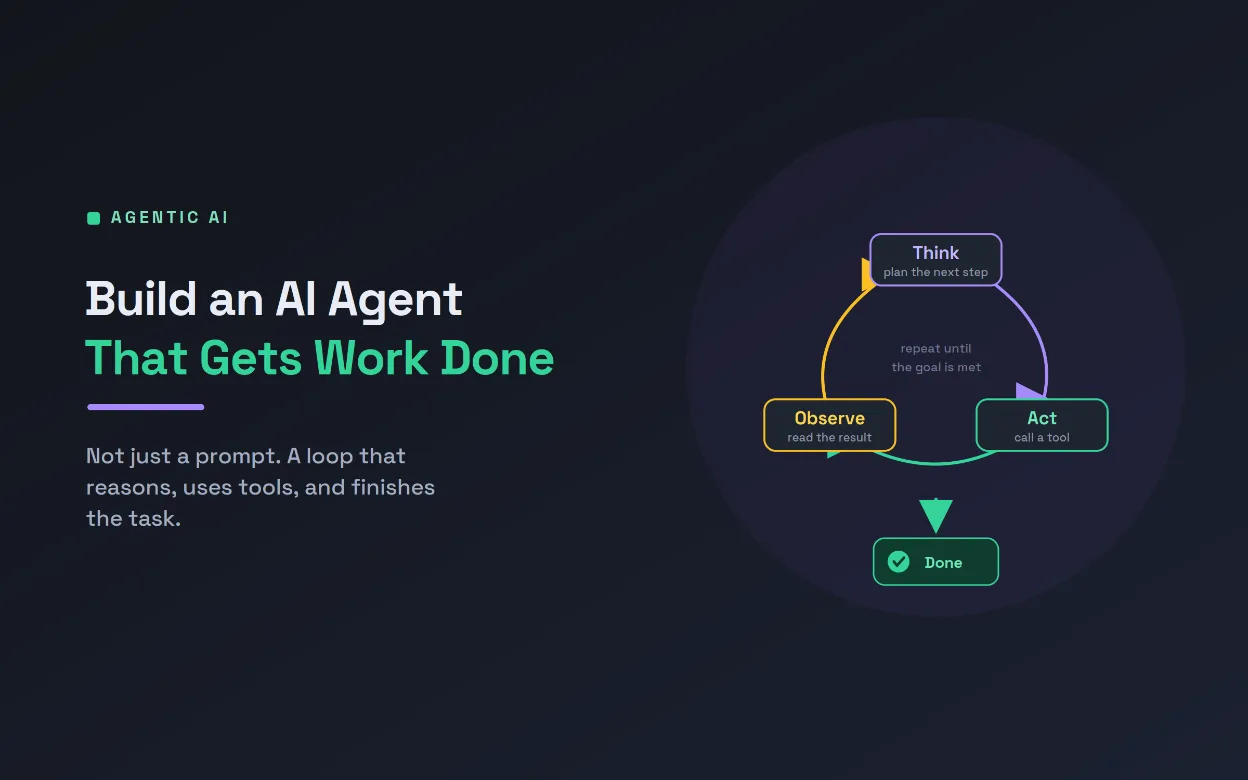
A normal LLM call is a single turn: you send text, you get text back. That is useful, but it cannot do anything in the world, and it stops after one reply. An AI agent is different. It is an LLM placed inside a loop and given tools, so it can reason about a goal, call a tool to gather information or take an action, look at the result, and keep going until the task is actually done. That loop, and those tools, are what turn a clever text generator into something that gets work finished. This guide is a technical, hands-on build of a real AI agent, not a toy, and it keeps a firm hand on safety throughout.
To stay concrete, we will build an inbox-triage agent for a support team. Its job: read an incoming customer email, gather what it needs, and either draft a reply for a human to send or escalate the ones it cannot handle. It is a genuinely useful AI agent, and it exercises everything that matters: tools, a reasoning loop, structured decisions, permissions, and human oversight. The same pattern transfers directly to other tasks, from processing invoices to running research. By the end you will have the full shape of a production-minded AI agent and the code to adapt it.
The anatomy of an AI agent
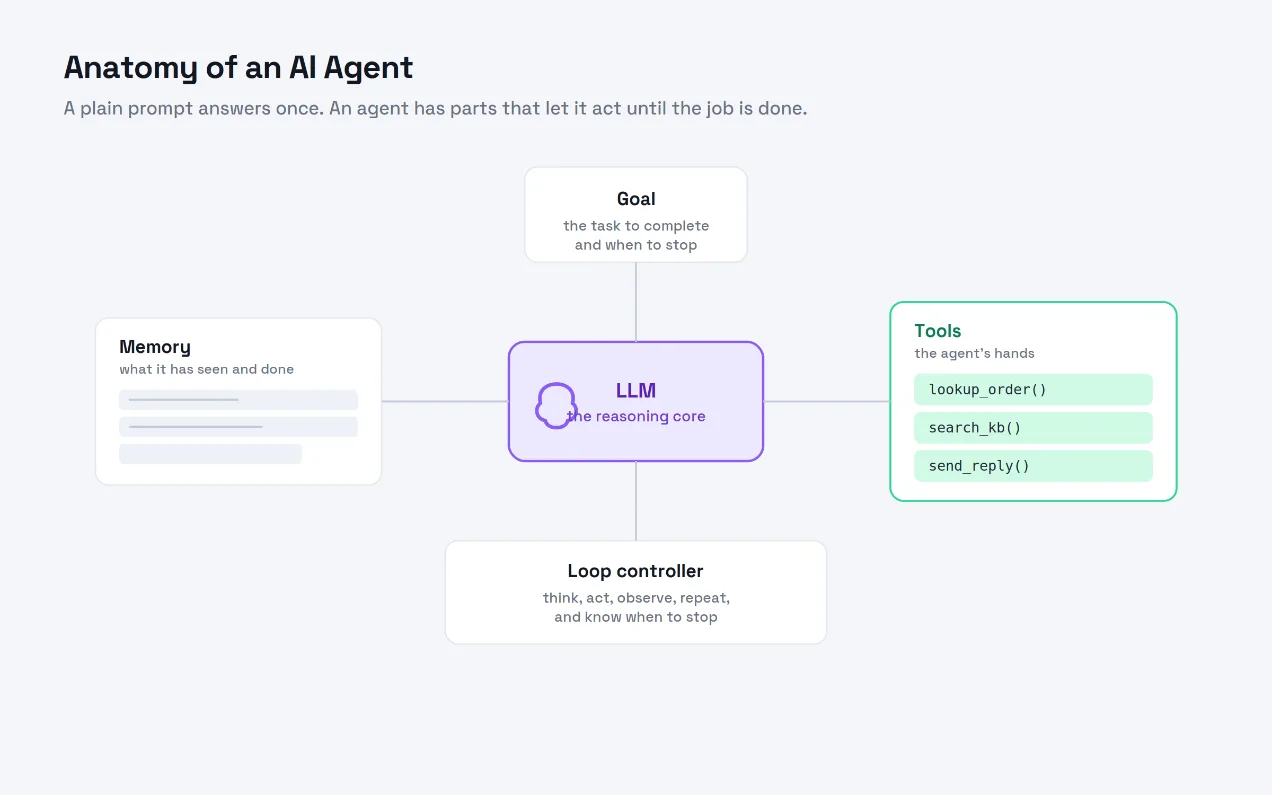
Before the code, it helps to see the parts, shown above. At the center is the LLM, the reasoning core that decides what to do next. Around it sit the tools, which are the agent's hands, the functions it can call to read data or act. There is memory, the running record of what the agent has seen and done so far, which it needs to reason across steps. There is the goal, the task to complete and the condition for stopping. And there is the loop controller, the code that runs the think, act, observe cycle and decides when to stop. A plain prompt has only the first of these. An AI agent has all five, and that is precisely what lets it work through a multi-step job on its own.
Step 1: Define the tools
Tools are where an AI agent gets its power, so we start there. Each tool needs a schema, which tells the LLM when and how to call it, and an implementation, the actual Python that runs. Keep tool descriptions clear and specific, because the model chooses tools based on them.
TOOLS = [
{
"name": "lookup_order",
"description": "Get the status and delivery date of an order by its ID.",
"input_schema": {
"type": "object",
"properties": {"order_id": {"type": "string"}},
"required": ["order_id"],
},
},
{
"name": "search_kb",
"description": "Search the help knowledge base and return the best matching answer.",
"input_schema": {
"type": "object",
"properties": {"query": {"type": "string"}},
"required": ["query"],
},
},
{
"name": "draft_reply",
"description": "Draft a reply to the customer for a human to review. Does not send.",
"input_schema": {
"type": "object",
"properties": {"text": {"type": "string"}},
"required": ["text"],
},
},
]
def lookup_order(order_id):
row = db.get_order(order_id)
return {"status": row.status, "eta": row.eta}
def search_kb(query):
return {"answer": kb.best_match(query)}
def draft_reply(text):
review_queue.add(text) # a human approves before anything sends
return {"drafted": True}
TOOL_FNS = {"lookup_order": lookup_order, "search_kb": search_kb, "draft_reply": draft_reply}
Notice that draft_reply does not send anything. It queues a draft for review. That single decision keeps a human between the AI agent and your customers, which matters more than any clever prompt.
Step 2: Build the agent loop
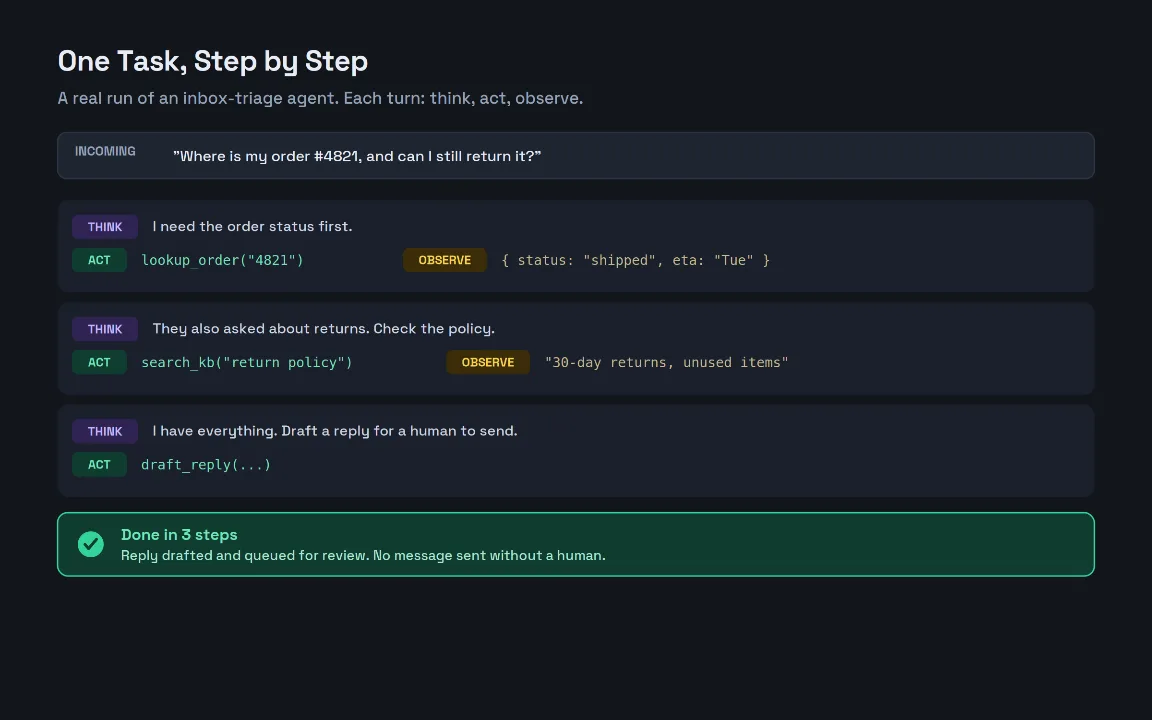
This is the heart of the AI agent. The loop sends the conversation and the tool list to the LLM. If the model asks to call a tool, we run it, append the result, and loop again. If the model returns a final answer instead, we stop. A hard step limit prevents runaway loops.
def run_agent(task, max_steps=8):
messages = [
{"role": "system", "content": SYSTEM_PROMPT}, # role, goal, stop condition
{"role": "user", "content": task},
]
for step in range(max_steps):
response = llm.chat(messages, tools=TOOLS) # provider-agnostic call
messages.append(response.message)
if not response.tool_calls: # model is done
return response.message["content"]
for call in response.tool_calls: # the "act" phase
result = call_tool(call.name, call.arguments)
messages.append({
"role": "tool",
"tool_call_id": call.id,
"content": json.dumps(result), # the "observe" phase
})
return "Stopped: step limit reached. Escalating to a human."
The trace above shows one real run. The agent thinks it needs the order status, calls lookup_order, and observes that the order shipped. It notices the customer also asked about returns, searches the knowledge base, and reads the policy. Then, with everything it needs, it drafts a reply and finishes, in three clean steps. That think, act, observe rhythm is the loop above, playing out on a real email.
Step 3: Gate the tools by permission
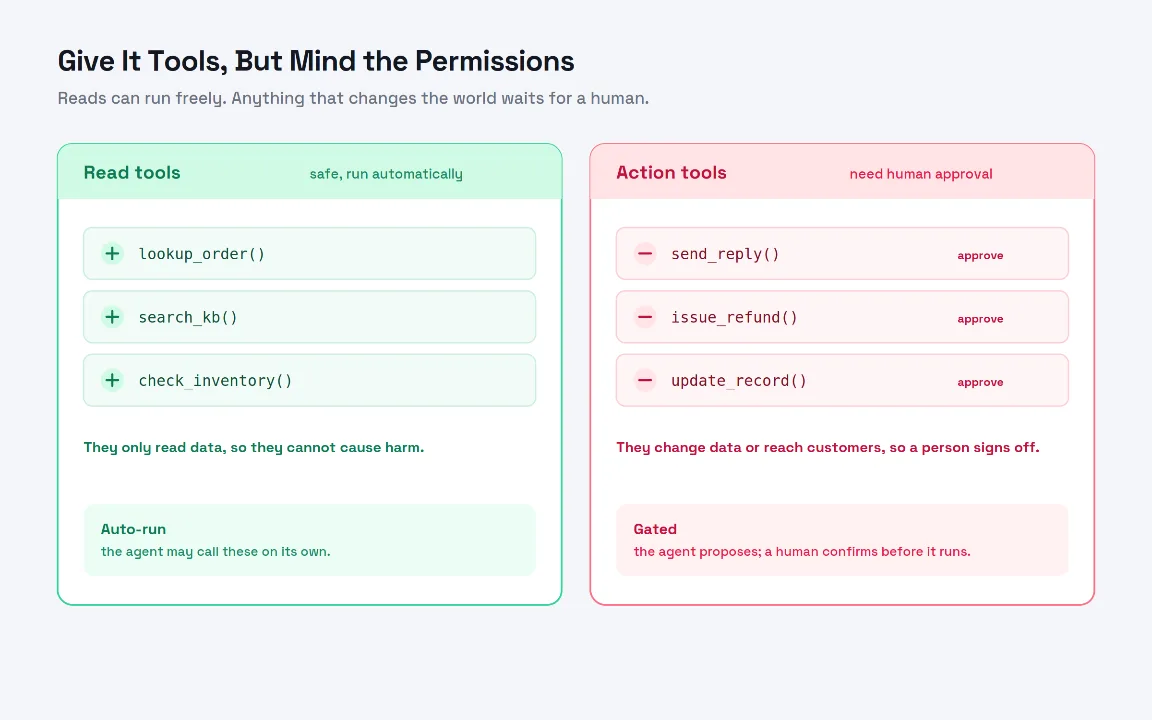
Not all tools are equal. Reading an order is safe. Sending an email or issuing a refund changes the world and reaches customers, so those must never run without a human. As the split above shows, the practical rule is to divide tools into read tools, which the AI agent may call freely, and action tools, which require explicit approval. Enforce it in the one place every tool call passes through.
READ_ONLY = {"lookup_order", "search_kb", "check_inventory"}
def call_tool(name, args):
fn = TOOL_FNS.get(name)
if fn is None:
return {"error": f"unknown tool: {name}"}
if name not in READ_ONLY:
# Action tools are proposed, not executed, until a human approves.
approvals.request(name, args)
return {"status": "pending human approval"}
return fn(**args) # read tools run immediately
With this gate, the AI agent can investigate on its own but can only propose the consequential moves. Your team approves the sends and refunds. You get the speed of automation without handing over the keys, which is the balance a responsible agent should strike.
Step 4: Harden it for production
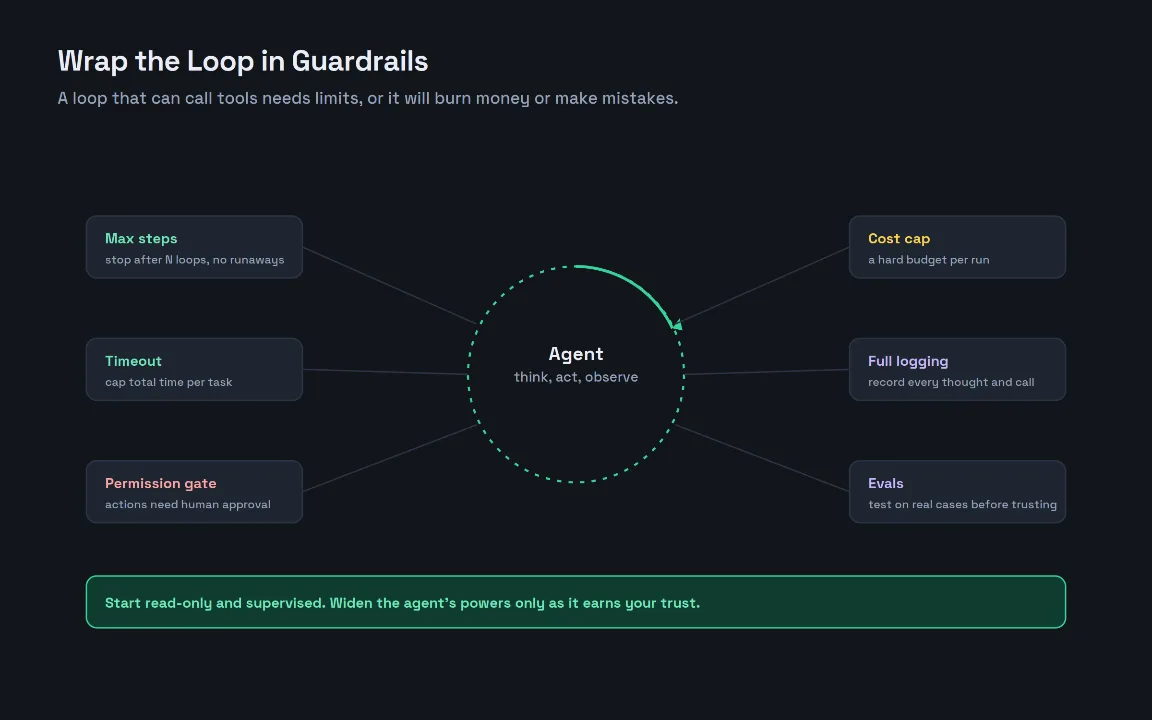
A loop that can call tools and spend money needs limits, or a single bad run can rack up cost or make a mess. The guardrails above are not optional for a real AI agent. You already have a step limit and a permission gate. Add a wall-clock timeout, a hard cost budget per run, full logging of every thought and tool call for debugging and accountability, and evaluations against real past cases before you trust it with anything new.
def run_agent_safe(task, max_steps=8, budget_usd=0.50, timeout_s=30):
start, spent = time.time(), 0.0
for step in range(max_steps):
if time.time() - start > timeout_s:
return escalate("timeout")
if spent >= budget_usd:
return escalate("budget exceeded")
response = llm.chat(messages, tools=TOOLS)
spent += response.cost_usd
log.record(step, response) # every thought and call, saved
if not response.tool_calls:
return response.message["content"]
handle_tool_calls(response)
return escalate("step limit reached")
Logging matters more than it looks. Because an AI agent makes its own decisions, the log of its reasoning and tool calls is how you debug failures, prove what happened, and improve the prompt. Pair that with a small evaluation set of real cases, and you can measure whether a change actually helps before it touches live traffic. Treat the agent like any other production system: observable, bounded, and tested.
Ship small, then widen
An AI agent is not magic, it is an LLM, a set of tools, a loop, and a set of guardrails. Once you see it that way, building one is a concrete engineering task rather than a mystery. Start exactly as we did: one narrow task, a few read-only tools, a strict step limit, and a human approving every action. Watch the logs, run it against real cases, and only widen its powers, more tools, fewer approvals, once it has earned that trust. Done this way, your first AI agent will be genuinely useful and safe from day one, and the same pattern will scale to the next task you decide to automate.
Articles Worth Reading
In a recent project, I learned what it really takes to ship production-ready AI agents that hold up beyond the demo.
Learn how to predict customer churn with AI and win back at-risk customers before they cancel.
Learn how to automate your product photography with AI and turn a single raw shot into clean, on-brand images for every channel.
Learn how an AI voice agent that answers every call can help you stop losing customers to missed phone calls.
If you're just getting started, this guide shows you how to set up Claude Code and ship your first task.
Learn how to turn repetitive prompts into reusable Claude Code skills that your whole team can run the same way every time.
Useful Links
Frequently Asked Questions
Let's build
Have a project worth building?
If this maps to a problem in your business, tell me about it. I will tell you honestly whether software or AI can fix it, and how I would build it.
Continue Reading
AI Development10 min read
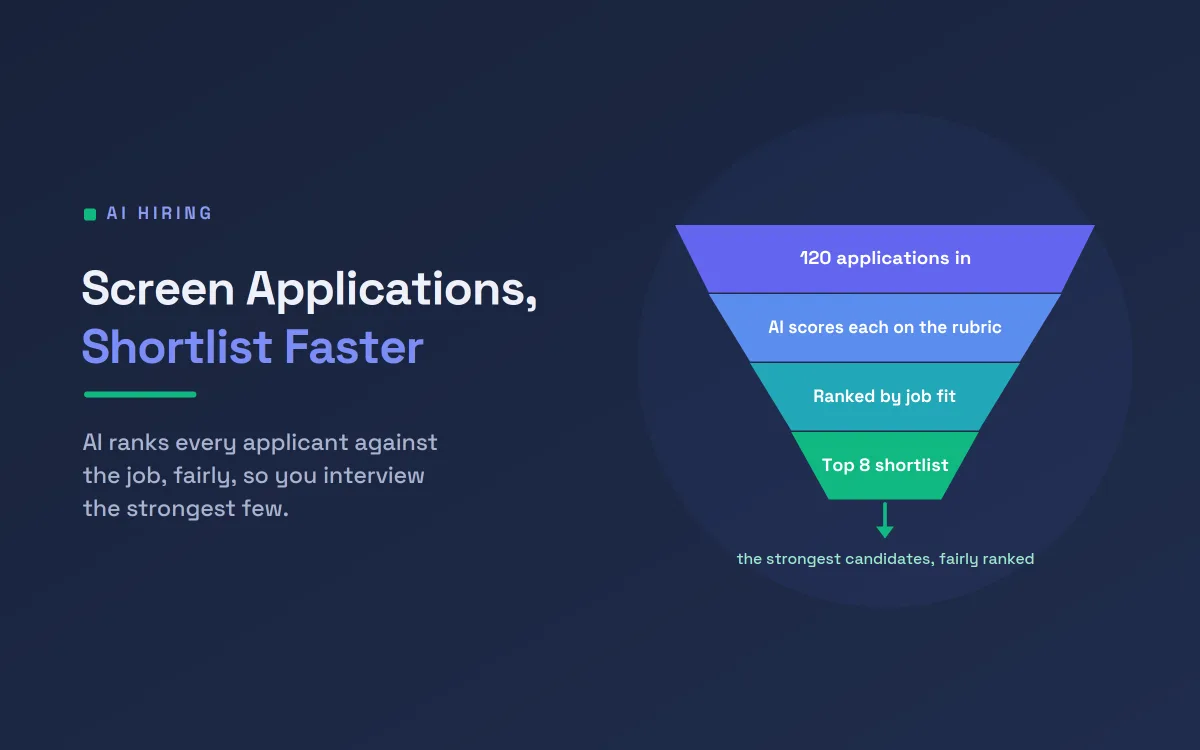
Screen Job Applications Faster With AI Shortlisting
A single open role can draw hundreds of applications. This guide shows how AI resume screening ranks candidates on job-relevant criteria, with the fairness safeguards and human oversight that responsible hiring demands, so your team spends its time on the strongest few.
Jul 18, 20268 views
AI Development9 min read
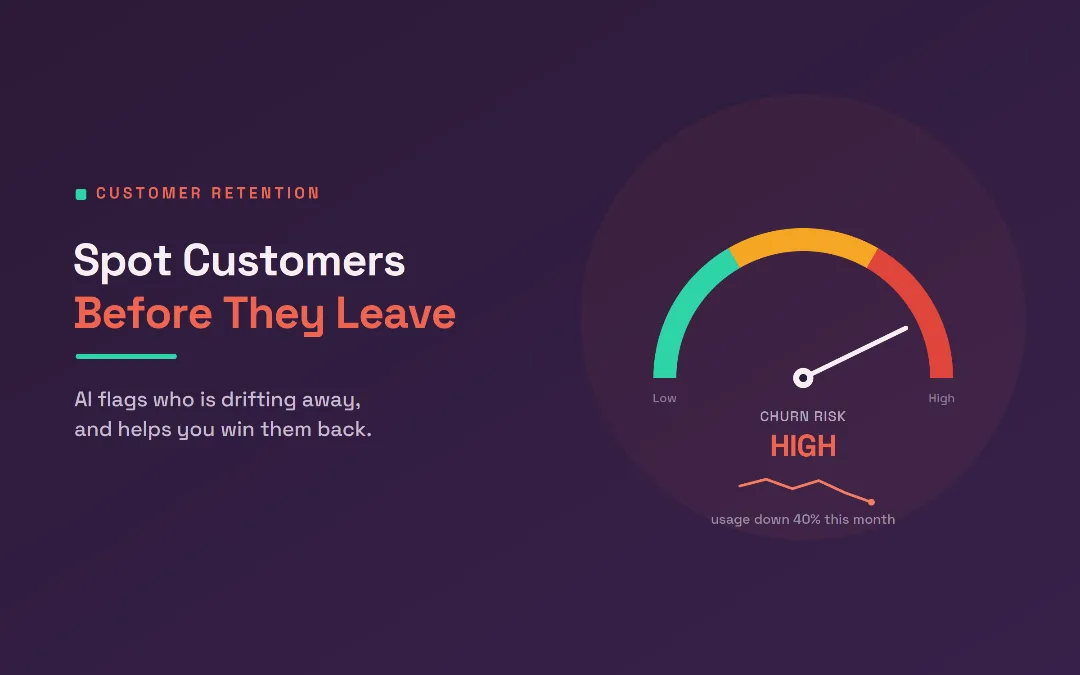
Predict Customer Churn and Win Them Back With AI
Most customers leave quietly, without a complaint. This guide shows how AI predicts customer churn from the small signals that come before someone cancels, then drafts a personal win-back message, so your team can act while there is still time.
Jul 13, 20263 views
AI Development12 min read
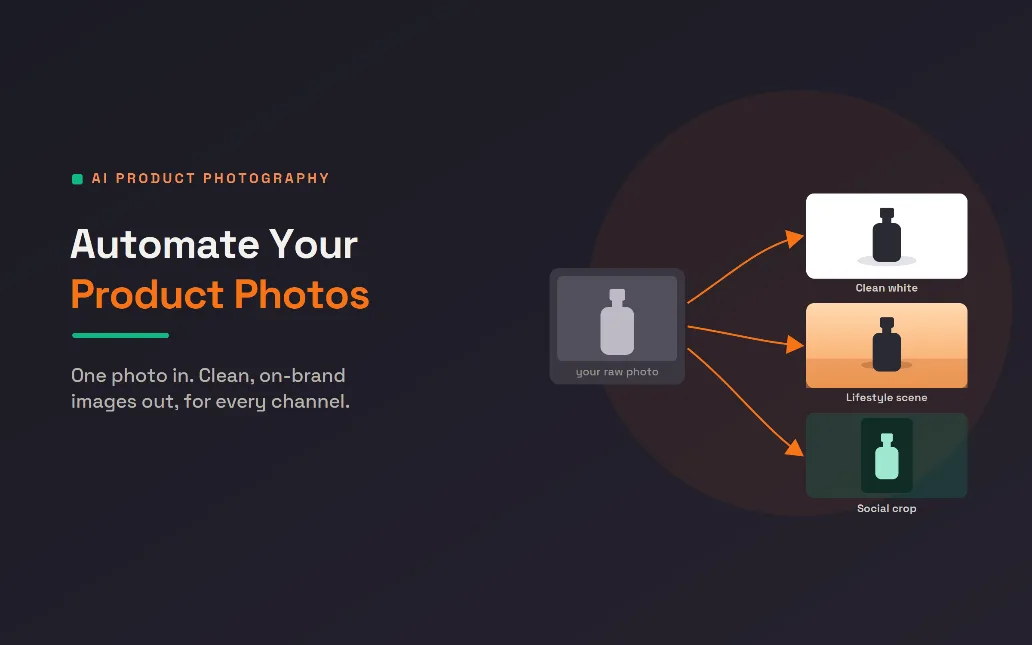
Automate Your Product Photography With AI Editing
Good product photography sells, but shooting and editing it eats time and money. This guide shows how AI turns one raw photo into clean, on-brand product photos for every channel, and how to build the pipeline so your whole catalog updates itself.
Jul 08, 20268 views