Turn Repeat Tasks Into Reusable Claude Code Skills
8 min read
11 views
When you keep typing the same prompt, build a skill
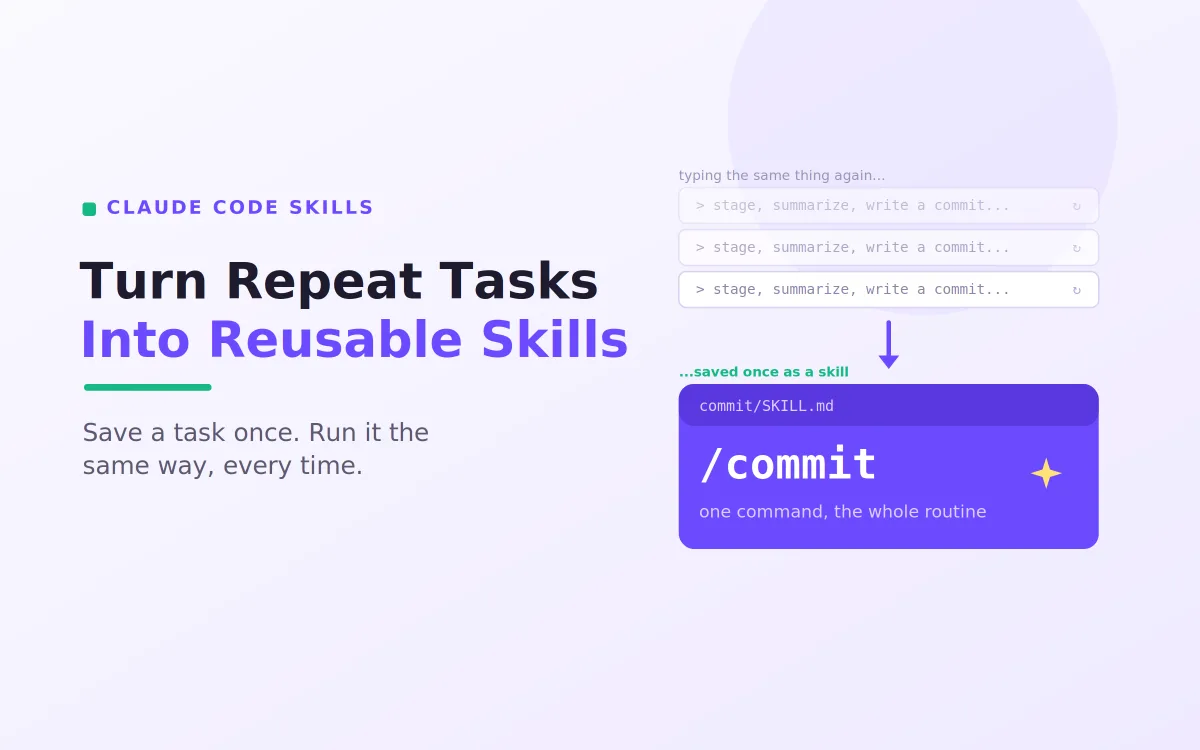
Every developer who uses Claude Code reaches the same moment. You find yourself typing the same long instruction over and over: stage the changes, summarise them, write a conventional commit message, wait for approval. It works, but you are doing by hand what a skill should do for you. Claude Code skills exist for exactly this. A skill captures a repeatable task once, in a small markdown file, so you and your teammates can run it the same way every time with a single command. This guide is a practical walkthrough of building, saving, and sharing your first Claude Code skills, with real examples you can copy.
The payoff is consistency and speed. Instead of re-explaining a routine and hoping you phrase it the same way, you save the routine once and trust it. That is the core promise of Claude Code skills: turn the prompts you keep repeating into reliable, reusable building blocks.
What a skill actually is
A skill is simply a folder with a single SKILL.md file inside it. That file has two parts, a short block of YAML frontmatter that tells Claude when to use the skill, and a markdown body that tells Claude what to do when the skill runs. The folder name becomes the command you type, so a folder called commit gives you a /commit command. There is nothing more exotic to it than that, which is what makes Claude Code skills so approachable. You can write a useful one in a couple of minutes.
It helps to picture the relationship with your CLAUDE.md file. If CLAUDE.md is the always on briefing that Claude reads every session, then Claude Code skills are the specific routines it pulls in only when they are relevant. The briefing is constant; the skills are on demand.
The anatomy of a SKILL.md
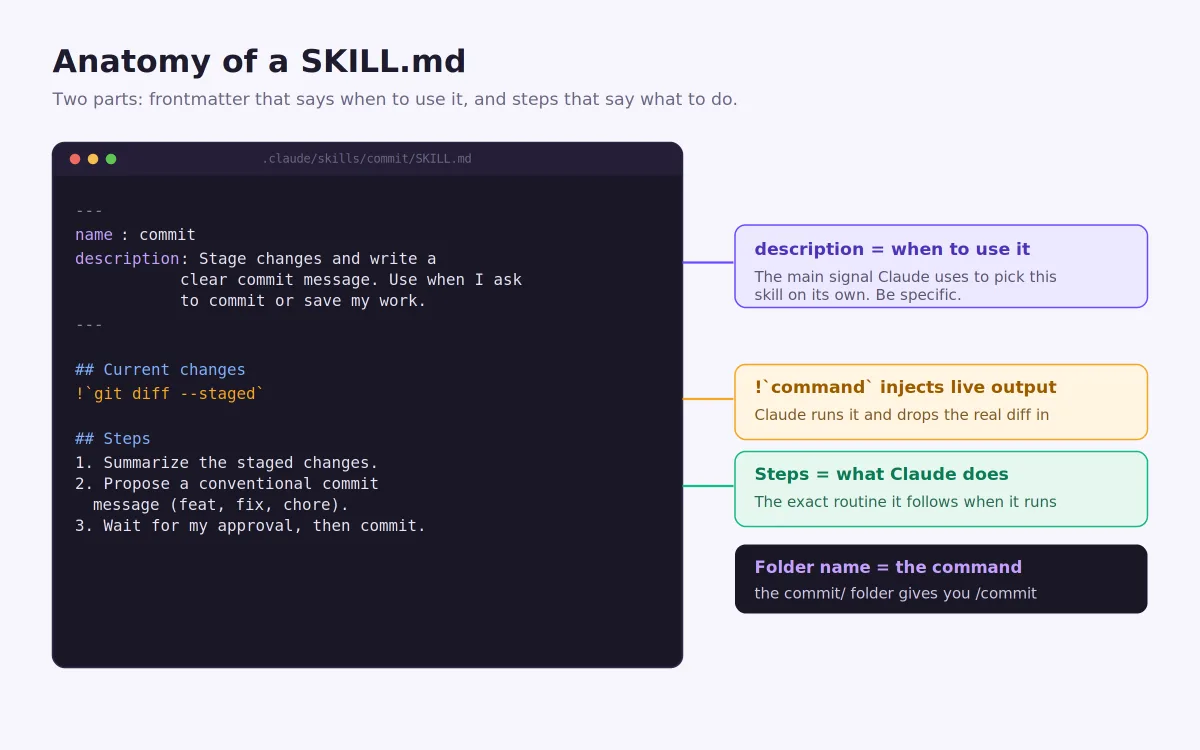
Let us look at a complete, working skill. Save the following as .claude/skills/commit/SKILL.md in your project.
---
name: commit
description: Stage changes and write a clear conventional commit
message. Use when I ask to commit or save my work.
---
## Current changes
!`git diff --staged`
## Steps
1. Summarize the staged changes in two or three bullets.
2. Propose a commit message in conventional format (feat, fix, chore).
3. Wait for my approval before committing.
Three things in that small file do the real work. The description is the most important line in any skill, because it is the signal Claude uses to decide when the skill applies, so it should be specific about what the skill does and when to reach for it. The line beginning with ! uses dynamic injection: Claude Code runs that command and drops the live output, here the real staged diff, into the skill before Claude reads it. And the numbered steps are the exact routine Claude follows when the skill runs. That is a genuinely useful skill in a dozen lines, which is the spirit of Claude Code skills.
Two ways a skill runs
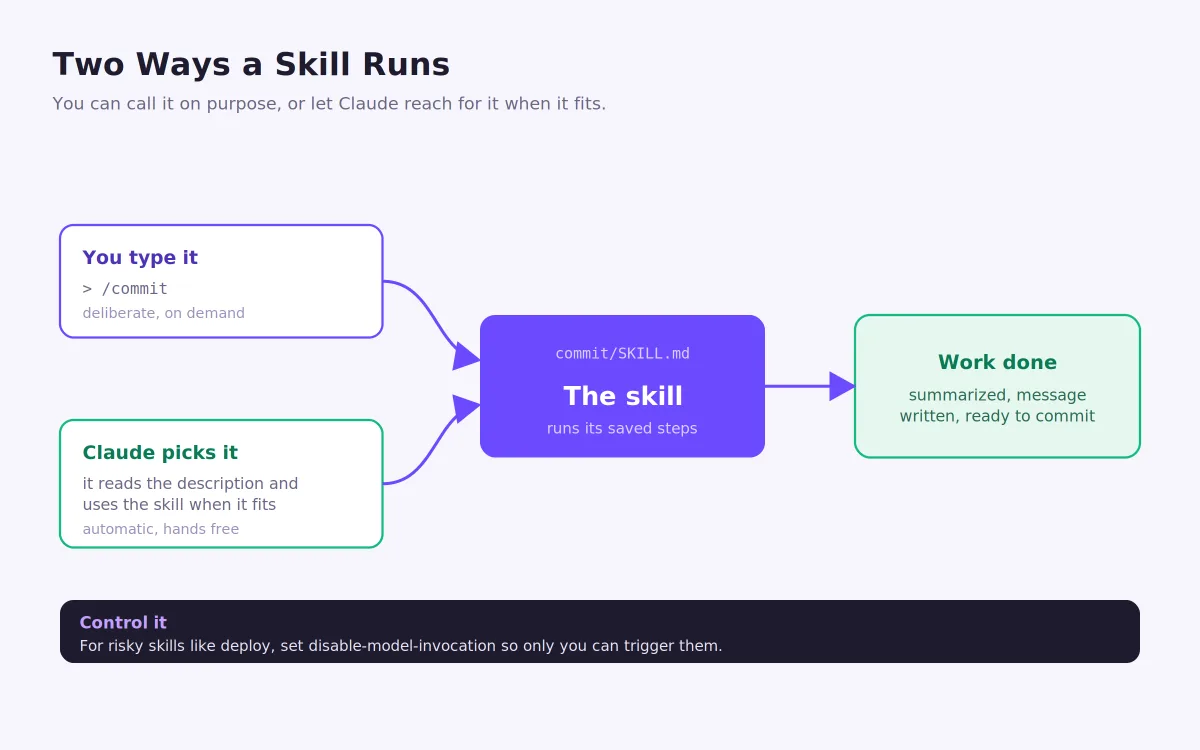
One of the nicest things about Claude Code skills is that they work in two directions, shown above. You can call a skill deliberately by typing its command, like /commit, when you know exactly what you want. Or you can let Claude pick it up on its own: because the description is loaded at the start of the session, Claude can match a request like "save my work" to your commit skill and run it without being told the command. This is why a precise description matters so much. It is the difference between a skill that triggers when it should and one that sits unused.
For most skills, having both paths available is ideal. For skills that carry real consequences, though, you will want a guardrail. Adding disable-model-invocation: true to the frontmatter means only a human can trigger that skill, which is exactly what you want for something like a deploy command. You do not want Claude deciding to ship because the tests happened to pass.
Where you save a skill decides who gets it
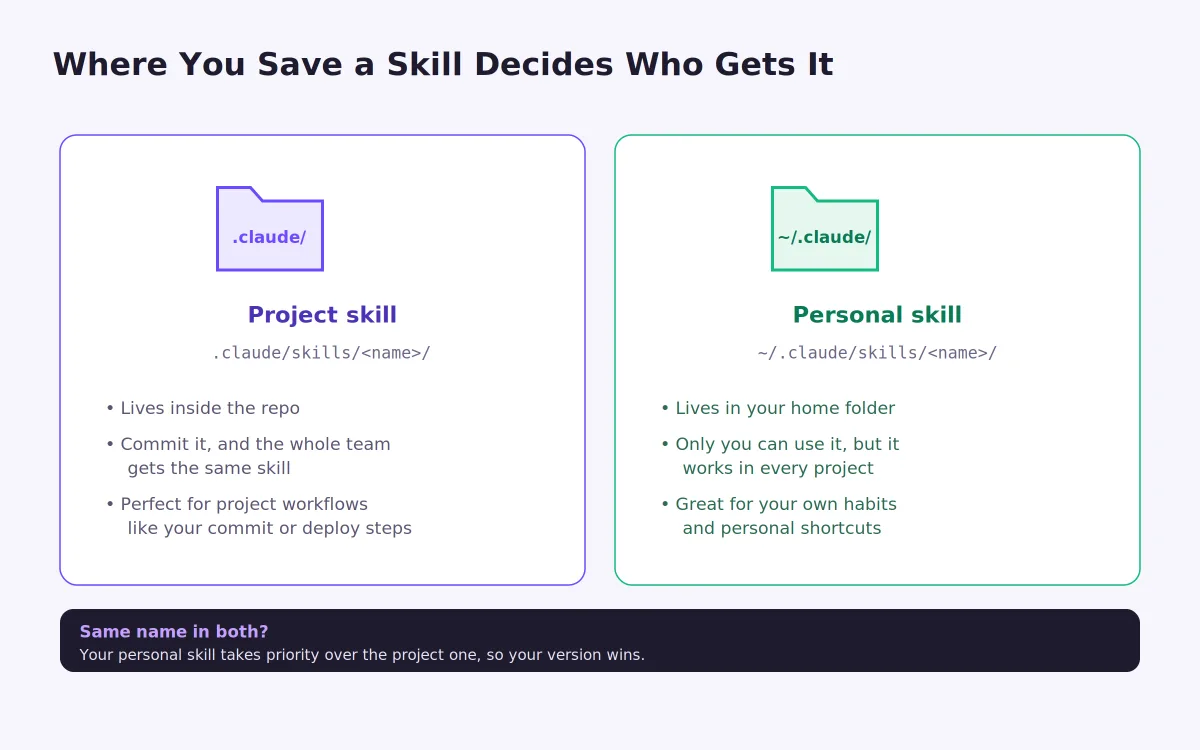
The location of a skill controls who can use it, and this is where Claude Code skills become a team tool rather than just a personal convenience. A project skill lives in .claude/skills/ inside the repository. Commit it to git, and every teammate who pulls the project gets the same skill automatically, so your commit routine or your deploy steps are shared with the whole team. A personal skill lives in ~/.claude/skills/ in your home folder. Only you can use it, but it follows you into every project you work on, which is perfect for your own habits and shortcuts.
If the same skill name exists in both places, your personal version takes priority, so you can override a shared skill with your own when you need to. This simple split, project versus personal, is what lets Claude Code skills scale from one developer's shortcuts to a team's shared way of working.
Saving a skill from work you just did
You do not have to write skills from a blank file. The most natural way to build them is to notice a routine as you work, then capture it. When you finish a multi step task you know you will repeat, create the folder and SKILL.md for it while the steps are fresh.
# Create a project skill from a routine you just ran
mkdir -p .claude/skills/changelog
cat > .claude/skills/changelog/SKILL.md <<'EOF'
---
name: changelog
description: Turn recent commits into a clean release note. Use when I
ask for a changelog or release notes.
---
## Recent history
!`git log --oneline -20`
## Steps
1. Group the commits into Features, Fixes, and Chores.
2. Write each as a short, user-facing bullet.
3. Output markdown ready to paste into the release notes.
EOF
That is the whole loop. Do a task once by hand, then save it as one of your Claude Code skills so you never have to reconstruct it again. Over a few weeks, your most common routines quietly become single commands.
Good first skills to create
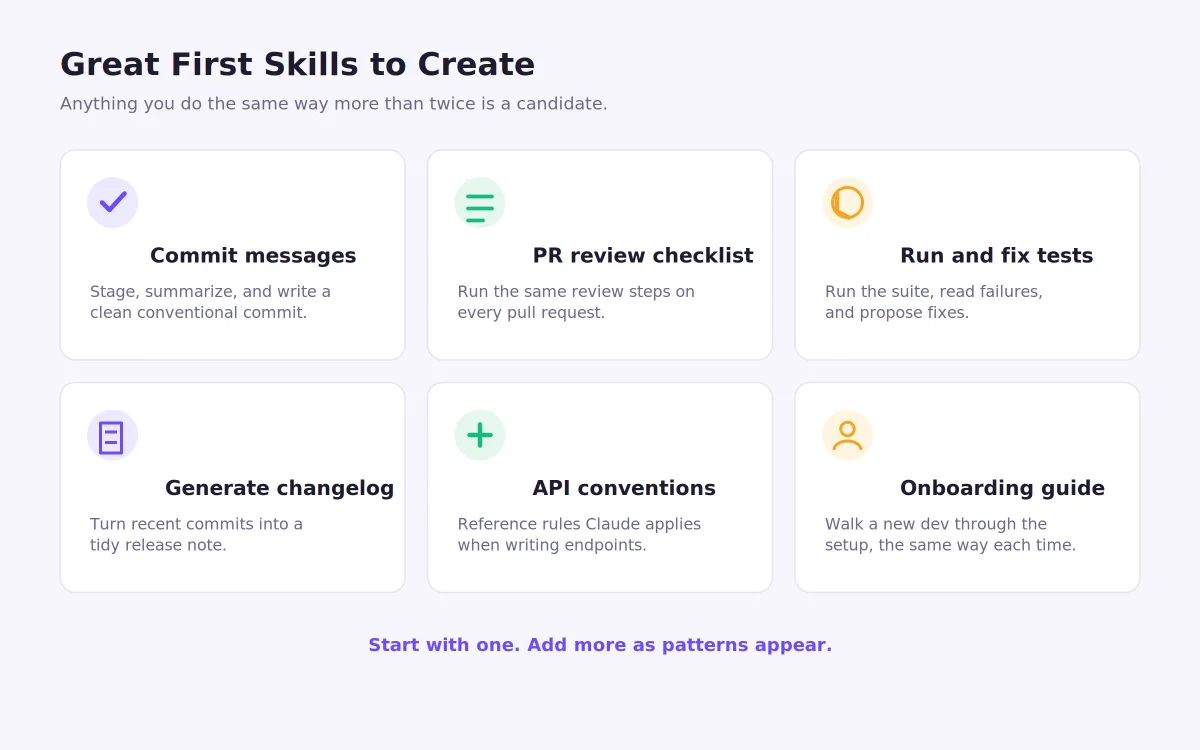
If you are wondering where to begin, look for anything you do the same way more than twice. The grid above shows strong candidates. A commit skill and a changelog skill, like the ones above, pay off almost immediately. A pull request review checklist makes every review consistent. A "run and fix tests" skill turns a fiddly loop into one command. You can also create reference style skills, such as your project's API conventions, which give Claude rules to apply rather than a task to run. The best way to learn what makes good Claude Code skills is to build one, use it for a week, and refine it.
A couple of habits keep your skills healthy. Keep each SKILL.md focused and concise, because its content costs context every time it loads, and never put secrets like API keys or passwords inside a skill file, especially one you commit and share. Beyond that, the bar is low and the reward is high.
Build the routine once, reuse it forever
Claude Code skills turn the prompts you keep repeating into reliable commands you and your team can trust. Start small: pick one task you have typed out more than twice, save it as a SKILL.md, and run it tomorrow with a single command. Add a second when the next pattern appears. Before long, the routines that used to eat your attention run themselves, and Claude Code feels less like a clever assistant you instruct from scratch each time and more like a teammate who already knows how your project works.
Articles Worth Reading
Curious how AI can handle customer calls 24/7? An AI voice agent that answers your calls so you never miss a customer explores how voice AI can improve customer support and capture every opportunity.
Looking to reduce waste and improve operational efficiency? How Simple Demand Forecasting Cuts Food Waste and Costs explains how predictive analytics helps businesses make smarter inventory decisions.
Want to see how AI projects move beyond prototypes? How I Shipped Production-Ready AI Agents for a Client shares the architecture, challenges, and lessons from deploying AI agents in a real production environment.
If you’re building AI-powered knowledge systems, How I Built an AI Document Assistant for a Client walks through creating an assistant that can understand, search, and retrieve information from documents.
Performance is just as important as features. Why Most Next.js Apps Become Slow Over Time uncovers the common architectural mistakes that gradually impact application speed and scalability.
External Links
Frequently Asked Questions
Let's build
Have a project worth building?
If this maps to a problem in your business, tell me about it. I will tell you honestly whether software or AI can fix it, and how I would build it.