Automate Your Product Photography With AI Editing
product photography
ai image editing
ecommerce
background removal
product photos
node.js
automation
batch editing
12 min read
8 views
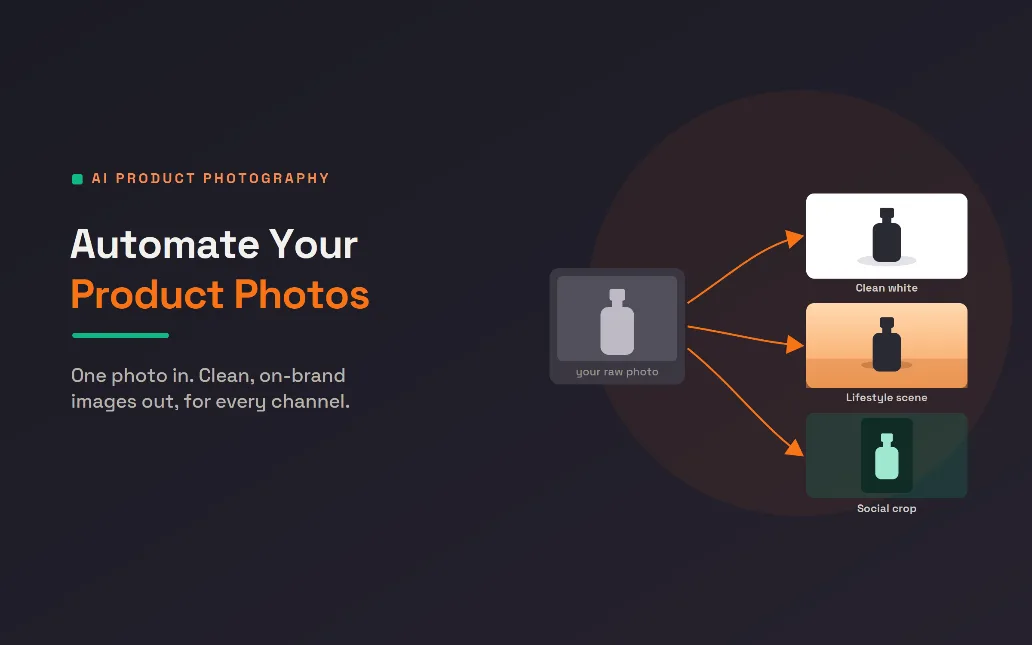
The product photo backlog every store knows
A new shipment arrives, you list the products, and then the real work begins: the photos. Each item needs a clean shot, a consistent background, the right crop for the marketplace, a different crop for Instagram, maybe a lifestyle image for the homepage. Multiply that by a few hundred products and product photography quickly becomes one of the slowest, most expensive parts of running a store. Hiring a photographer or a designer for every batch is costly, and doing it yourself eats evenings you do not have. This is exactly the bottleneck AI now clears. Modern tools take one decent photo and produce clean, consistent, on-brand product photos for every channel in seconds, so your catalog stops waiting on the camera.
This article explains how that works for store owners, then, for your developers, how to build a pipeline that updates your whole catalog automatically. One honest point up front shapes everything that follows: the workflow that actually works is photographing your real product and letting AI clean and stage it, not generating a fake product from scratch. Good AI product photography makes your real items look their best, consistently and at scale. It does not invent things that are not there.
Why stores are switching
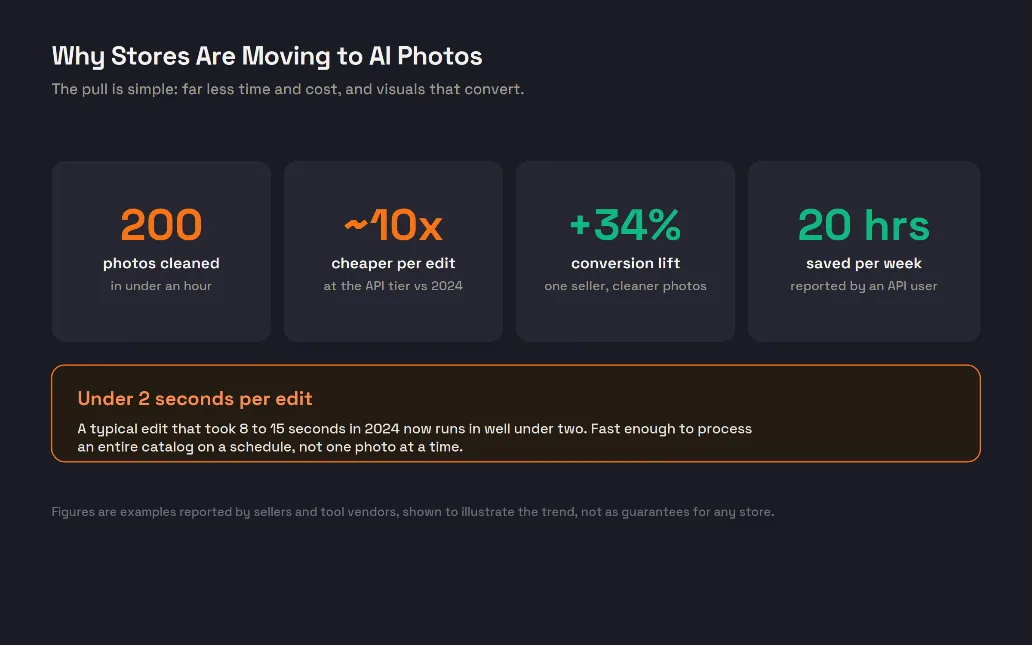
The pull is practical, as the numbers above suggest. The cost and time of editing have collapsed: a single edit that took many seconds a couple of years ago now runs in well under two, and the price per edit at the API level has fallen roughly tenfold. That speed changes what is possible, because you can process an entire catalog on a schedule instead of editing one photo at a time. The quality matters too, since clean, consistent product photography directly affects whether people buy. Sellers who replaced cluttered shots with clean, professional images have reported meaningful lifts in conversion, and teams using these tools report saving many hours a week. Those specific figures are examples rather than promises, but the direction is clear and widely reported: better product photos, produced faster and cheaper, tend to sell more.
What AI actually does to a product photo
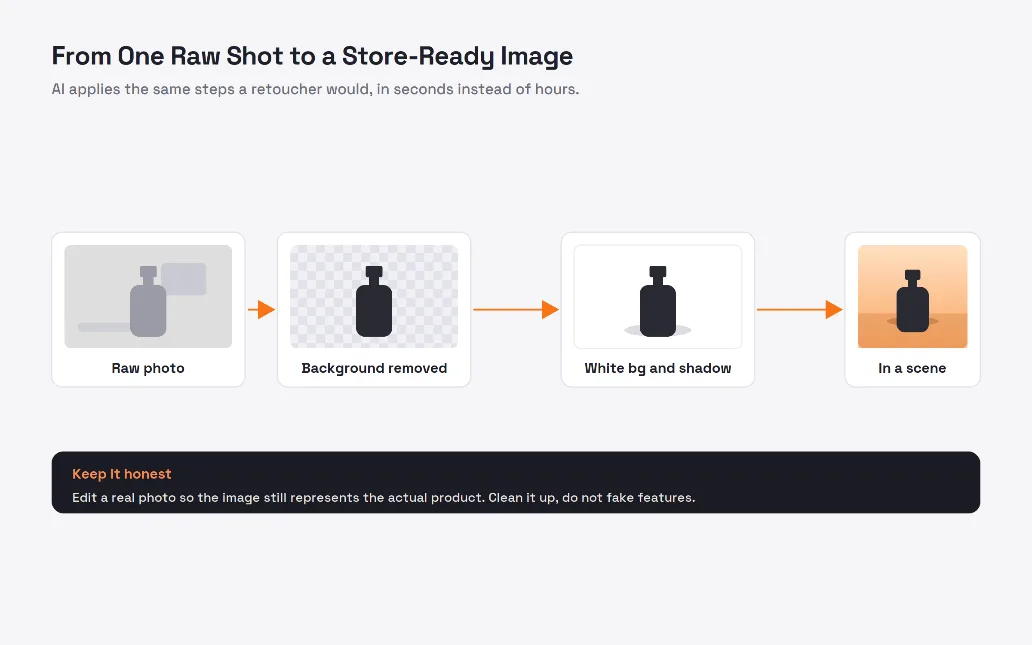
Under the hood, AI product photography is a sequence of edits a skilled retoucher would do by hand, run automatically, as the filmstrip above shows. It starts from your raw photo, cuts the product cleanly away from its background, then places it on a clean white backdrop with a realistic shadow so it looks studio-shot. From there it can relight the subject for consistency, or drop it into a generated lifestyle scene that matches your brand. Each of these was once a slow manual task, and each is now a fast, repeatable operation. The key is that the input is your genuine product, so the output still represents what the customer will receive. Clean it up and stage it well, but keep it true to the item.
One image, sized for every channel
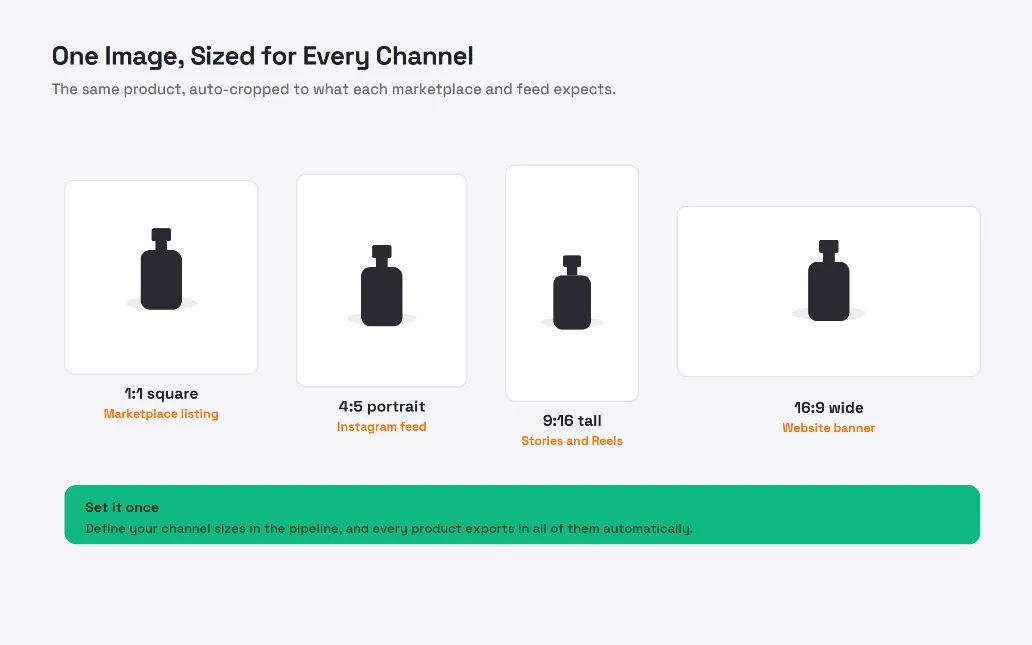
A huge part of the product photography grind is not editing at all, it is reformatting. Every channel wants a different shape: a square for marketplace listings, a portrait crop for the Instagram feed, a tall frame for stories and reels, a wide banner for your website, as shown above. Doing this by hand for every product is tedious and error-prone. In an automated workflow you define your channel sizes once, and every product exports in all of them, correctly framed, with the product kept centered and uncropped. This consistency is its own quiet win, because a catalog where every image is clean and correctly sized looks far more professional and trustworthy than one stitched together by hand.
For your developers: building the pipeline
The examples use Node.js, since stores often handle image uploads in a JavaScript backend, but the same flow works in any language. The pattern is to call an image-editing API for the AI steps and a local library for resizing, then run it over a folder.
Step 1: Clean up one photo
Send a raw photo to an editing API to remove the background and place it on a white studio backdrop with a shadow. Keep your API key in an environment variable, never in code.
import fs from "node:fs/promises";
async function editPhoto(buffer, options) {
const form = new FormData();
form.append("image_file", new Blob([buffer]));
form.append("background", options.background); // "white" or a scene prompt
form.append("shadow", "true");
const res = await fetch("https://api.photo-service.com/v1/edit", {
method: "POST",
headers: { "x-api-key": process.env.PHOTO_API_KEY },
body: form,
});
return Buffer.from(await res.arrayBuffer());
}
Step 2: Make a lifestyle version
The same kind of call can place the product in a generated scene. Describe the setting in plain language and keep it on brand.
async function lifestyleVersion(buffer) {
return editPhoto(buffer, {
background: "on a warm wooden table, soft morning light, minimal kitchen",
});
}
Step 3: Resize for every channel
Use a fast local library like sharp to export each finished image at the sizes your channels need, without distorting the product.
import sharp from "sharp";
const CHANNELS = {
marketplace: { w: 1200, h: 1200 }, // 1:1
feed: { w: 1080, h: 1350 }, // 4:5
story: { w: 1080, h: 1920 }, // 9:16
banner: { w: 1600, h: 900 }, // 16:9
};
async function resizeForChannels(buffer, name) {
for (const [channel, { w, h }] of Object.entries(CHANNELS)) {
await sharp(buffer)
.resize(w, h, { fit: "contain", background: "#ffffff" })
.toFile(`out/${name}-${channel}.png`);
}
}
Step 4: Process the whole catalog
Loop over a folder of raw photos and run each through the pipeline. This is the part that turns a manual chore into an overnight job.
async function run(folder) {
const files = await fs.readdir(folder);
for (const file of files) {
const raw = await fs.readFile(`${folder}/${file}`);
const name = file.replace(/\.[^.]+$/, "");
const studio = await editPhoto(raw, { background: "white" });
const scene = await lifestyleVersion(raw);
await resizeForChannels(studio, `${name}-studio`);
await resizeForChannels(scene, `${name}-scene`);
}
}
Step 5: Build or buy, and connect it to your store
That is a complete pipeline in a few small functions. The remaining choice is build or buy. A hosted API gets you shipping in an afternoon and is the right call for most stores, while self-hosting open models makes sense only when image editing is a core part of your own product. Either way, the final step is to push the finished images back into your store or content system, often through its API, so the whole loop runs without anyone touching a photo editor.
The architecture at a glance
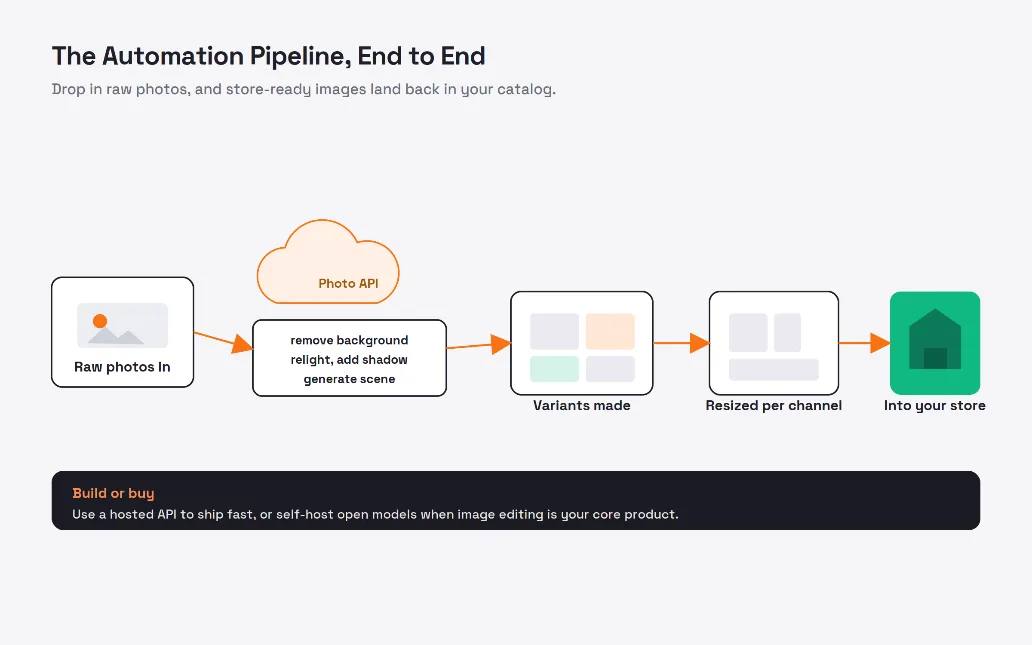
Zooming out, the whole system is the simple flow above. Raw photos go in, the editing API does the AI work, variants are generated, each is resized for every channel, and the finished images land back in your catalog. Because each stage is just a function call, you can run it on a schedule, trigger it when new products are added, or process a back catalog in one batch. It is the kind of automation that pays for itself quickly, since it replaces a recurring manual cost with a job that runs while you sleep.
Keep it honest
One responsibility comes with this power. Because AI can change an image so completely, it is easy to drift from cleaning a photo into misrepresenting a product, and that erodes trust and can cross legal lines around advertising. The rule is simple: edit your real product so it looks its best, but never fake a feature, a colour, or a finish the customer will not actually receive. Show the true item in good light, literally and figuratively. Used this way, AI product photography is not a trick, it is simply a faster, cheaper version of the professional studio work good stores have always done.
Let your catalog photograph itself
Product photography should not be the thing that holds up a launch. With an automated pipeline, one decent photo of each item becomes a full set of clean, consistent, correctly sized product photos for every channel, produced in seconds and refreshed whenever you need. Start small, with background removal and white backdrops on your next batch, prove the time saved, then add lifestyle scenes and automatic resizing. Keep every image honest to the real product, and let the pipeline handle the rest, so your team spends its time selling instead of editing.
Articles Worth Reading
If missed calls are costing you customers, an AI voice agent that answers every call can book appointments and route urgent requests to a human automatically.
For a deeper look at building reliable automation, see our guide on AI workflows with n8n and OpenAI that hold up in production.
Learn how simple demand forecasting can help you cut food waste and stock closer to real demand.
In a recent project, I built an AI document assistant that answers questions straight from a client's own files, complete with sources.
I recently wrote about how I shipped production-ready AI agents for a client, turning a flaky prototype into a reliable system with idempotency, validation, and full observability.
Learn how route optimization can help you plan smarter delivery routes that cut distance and save fuel.
Useful Links
Frequently Asked Questions
Let's build
Have a project worth building?
If this maps to a problem in your business, tell me about it. I will tell you honestly whether software or AI can fix it, and how I would build it.
Continue Reading

AI Development13 min read
Build an AI Agent to Automate a Real Task
An AI agent is not a chatbot, it is an LLM in a loop that reasons, calls tools, and works until a task is done. This technical guide builds a real inbox-triage agent step by step, with tool schemas, the agent loop, permissions, and production guardrails.
Aug 05, 20264 views
AI Development10 min read
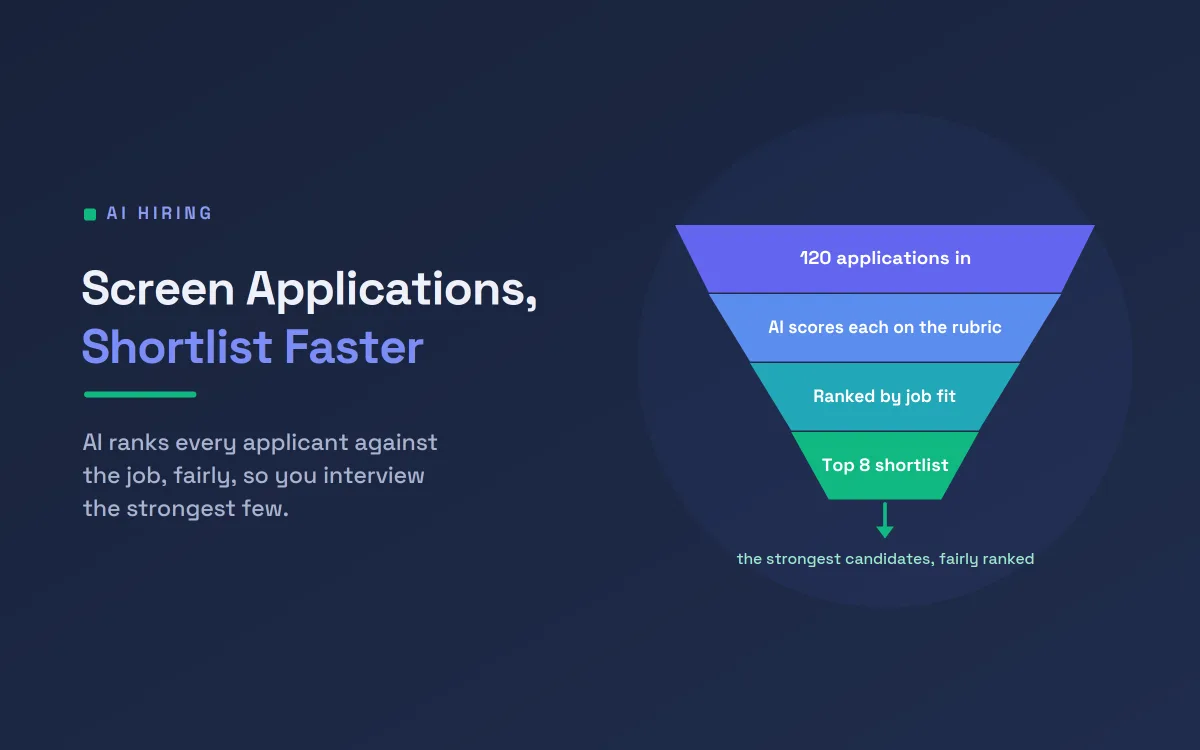
Screen Job Applications Faster With AI Shortlisting
A single open role can draw hundreds of applications. This guide shows how AI resume screening ranks candidates on job-relevant criteria, with the fairness safeguards and human oversight that responsible hiring demands, so your team spends its time on the strongest few.
Jul 18, 20266 views

AI Development9 min read
Predict Customer Churn and Win Them Back With AI
Most customers leave quietly, without a complaint. This guide shows how AI predicts customer churn from the small signals that come before someone cancels, then drafts a personal win-back message, so your team can act while there is still time.
Jul 13, 20262 views